



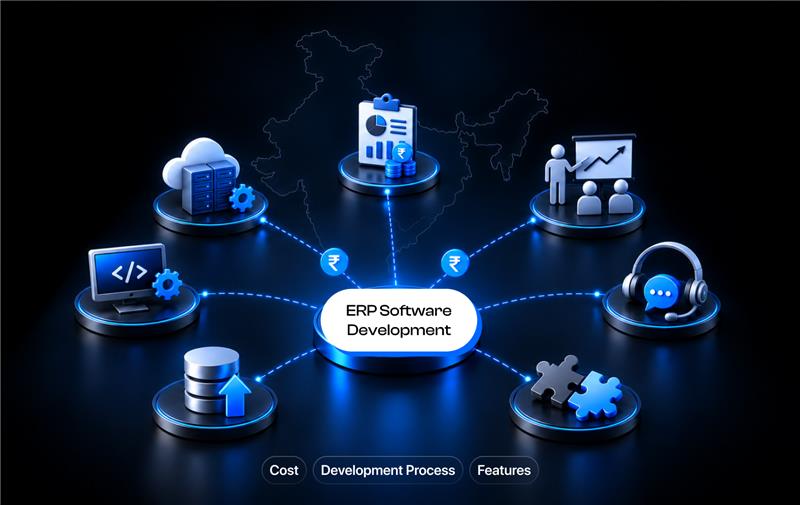
If you're considering ERP software development in India, custom development makes sense when an existing ERP can't handle your business processes efficiently without major compromises. For planning purposes, Indian development estimates commonly place basic ERP projects around ₹5–20 lakh, mid-level systems around ₹20–60 lakh, and complex enterprise ERP projects at ₹60 lakh–₹2 crore+, but the final cost depends heavily on modules, workflows, integrations, data migration, and deployment requirements.
The right approach is not to start by listing every ERP feature. First decide whether you actually need custom software, then define the processes it must control, estimate the cost, and only then choose how and who should build it.
Do You Need Custom ERP Software or a Ready-Made ERP?
You should consider custom ERP development when your workflows, integrations, reporting, or industry requirements cannot be handled efficiently by an existing ERP. If standard accounting, inventory, sales, purchasing, and reporting processes already fit your business, configuring an existing ERP is usually the simpler option.
Start with these 3 choices:

You don't need custom ERP simply because your company is growing. You need it when the limitations of existing software are creating operational problems that customization or configuration cannot reasonably solve.
When ready-made ERP is enough
A ready-made ERP is usually enough when your business follows standard processes and the software already provides the modules you need. You don't need to build an ERP from scratch if accounting, sales, purchasing, inventory, payroll, and reporting can be handled without major workflow changes.
Accounting and financial management:
General ledger, accounts payable and receivable, expenses, taxation, and financial reporting.
Sales and purchasing:
Quotations, sales orders, purchase orders, invoices, customers, and suppliers.
Inventory management:
Stock tracking, warehouses, stock transfers, reorder levels, batches, and serial numbers.
CRM:
Lead, customer, follow-up, quotation, and sales pipeline management.
Payroll and HR:
Employee records, attendance, leave, payroll processing, and related reports.
Basic manufacturing:
BOMs, production orders, material requirements, and production tracking.
GST and e-invoicing:
Indian businesses can use ERP capabilities that support GST-related accounting and e-invoicing workflows.
Standard reporting:
Sales, inventory, purchasing, finance, and operational reports that don't require highly specialized calculations.
For example, TallyPrime already provides accounting, inventory, banking, payroll, GST, e-invoicing, and business reporting capabilities. ERPNext provides accounting, procurement, sales, CRM, stock, manufacturing, projects, POS, quality, and other business modules.
The deciding factor is simple: if an existing ERP covers your core workflows without forcing employees to change how the business operates, customization may be unnecessary.
When custom ERP becomes justified
Custom ERP development is justified when your business processes are too specialized, interconnected, or difficult to support with an existing ERP. The goal isn't to build more software; it's to build only what your operations actually require.
Industry-specific workflows:
Your processes require functionality designed specifically for manufacturing, logistics, healthcare, retail, construction, or another specialized industry.
Complex approval chains:
Transactions require multiple approval levels based on departments, amounts, locations, roles, or business rules.
Multiple companies or business units:
You need centralized management while keeping separate financial records, users, operations, or reporting for different entities.
Advanced production processes:
Your operations involve detailed BOMs, production planning, work orders, quality checks, material requirements, or production costing.
Proprietary pricing or sales logic:
Your pricing, discounts, commissions, quotations, or sales rules don't fit standard ERP workflows.
Multiple system integrations:
Your ERP must exchange data with eCommerce platforms, CRM, accounting software, payment systems, logistics providers, or internal applications.
Custom operational dashboards:
Management needs reports and KPIs that standard ERP reporting cannot provide.
Specialized data structures:
Your business handles information that doesn't fit the standard fields, relationships, or workflows of an existing ERP.
Unique automation rules:
Repetitive processes need automation based on your specific business conditions rather than generic ERP rules.
Full control over the software:
You need control over the source code, architecture, database, integrations, and future development.
The key question is:
Can an existing ERP support how your company actually operates, or would your employees have to change their processes to fit the software?
If the second option is true across several critical workflows, custom development may be more practical than forcing your operations into a standard ERP.
Once custom development is justified, the next step is defining exactly what your ERP needs to contain.
What Should a Custom ERP Software Include?
A custom ERP should include only the modules your business needs to manage its core operations. The exact feature set depends on your industry, workflows, number of users, locations, integrations, and reporting requirements.
This section answers: What modules and features should an ERP have?
Core ERP modules
Most businesses need a combination of these core modules:
Finance and accounting: General ledger, accounts payable and receivable, expenses, assets, taxation, invoicing, and financial reporting.
Sales and CRM: Leads, customers, quotations, sales orders, invoices, follow-ups, and sales pipelines.
Procurement: Suppliers, purchase requests, purchase orders, approvals, goods receipts, and supplier records.
Inventory management: Stock levels, warehouses, stock transfers, batches, serial numbers, and inventory adjustments.
HR and payroll: Employee records, attendance, leave, payroll, departments, and employee-related reports.
Reporting and analytics: Financial reports, sales performance, inventory reports, purchasing reports, operational KPIs, and management dashboards.
Indian ERP platforms such as TallyPrime already combine areas such as accounting, inventory, purchasing, sales, manufacturing, payroll, GST, and reporting, showing why these functions are commonly connected within an ERP rather than operated as isolated systems.
Industry-specific ERP modules
Your industry determines which modules should sit on top of these core functions. A manufacturing company, for example, needs very different operational capabilities from a retailer or professional-services company.
Manufacturing ERP
A manufacturing business may require:
Bill of Materials (BOM)
Production planning
Work orders
Workstations
Job cards
Material requirements
Quality control
Work-in-progress tracking
Production costing
ERPNext's official manufacturing documentation includes BOMs, work orders, production planning, job cards, workstations, quality control, inventory, and production reporting.
Retail and distribution ERP
Retailers and distributors may need:
Multi-store inventory
Stock transfers
Purchase orders
Supplier management
Barcode or QR-code scanning
Pricing rules
Sales orders
Dealer management
Reorder levels
Project-based ERP
For construction, consulting, agencies, and other project-driven businesses, useful modules may include:
Project costing
Resource allocation
Task management
Milestone billing
Employee expenses
Timesheets
Project profitability
Client reporting
The important point is not to copy the module list of another ERP. First map how your business handles sales, purchasing, inventory, production, finance, employees, approvals, and reporting. Then build or customize the modules around those workflows.
Which ERP Features Matter Beyond the Basic Modules?
The most useful ERP features are often the ones that connect departments, automate handoffs, control access, and keep business data consistent. A system with many modules can still create manual work if those modules don't share data and workflows.
This section answers: What features make a custom ERP useful in daily operations?
Workflow automation
Workflow automation moves a transaction from one business stage to the next without repeated manual entry.
For example:
Purchase request → approval → purchase order → goods receipt → invoice → payment
When the purchase order is approved, the ERP should be able to carry the relevant supplier, item, quantity, price, and approval data into the next stage. This reduces duplicate data entry and gives each department access to the same transaction history.
Role-based access
Role-based access controls what each employee can view, create, edit, approve, or delete.
For example:
Sales staff can create quotations and sales orders.
Managers can approve discounts or high-value orders.
Procurement staff can create and manage purchase orders.
Finance teams can review invoices and approve payments.
Administrators can manage users, roles, and permissions.
Permissions should reflect actual responsibilities rather than giving every employee access to the entire ERP.
Approval workflows
Approval workflows enforce business rules before important transactions are completed.
Approval conditions can be based on:
Transaction amount
Department
Employee role
Location
Customer
Supplier
Transaction type
Budget limits
For example, a purchase below a defined threshold may require one approval, while a high-value purchase may require approvals from both a department head and finance.
Audit trails
An audit trail records who performed an action, what changed, and when it happened.
This is particularly useful for:
Financial transactions
Inventory adjustments
Purchase orders
Sales invoices
Approval decisions
User-permission changes
Sensitive business records
For an ERP handling financial and operational data, auditability is more useful than simply keeping a generic activity log.
ERP integrations
Integrations allow your ERP to exchange data with the other systems your business already uses.
Depending on your operations, this may include:
Accounting software
Payment gateways
Banking systems
CRM platforms
eCommerce platforms
Shipping and logistics providers
Payroll systems
GST and e-invoicing systems
Internal business applications
For Indian businesses, GST e-invoicing integration can be an important requirement. The GST-authorized Invoice Registration Portal provides API integration options for ERP and billing systems, allowing eligible businesses to connect their software with the e-invoicing ecosystem.
Dashboards and reporting
ERP dashboards should help managers make decisions without manually combining data from different departments.
Useful dashboards may answer questions such as:
What are today's sales?
Which products are running low?
How much do customers currently owe?
Which purchase orders are pending?
What is the current production status?
Which branch is generating the most revenue or profit?
What is the current cash position?
The best ERP dashboard isn't the one with the most charts. It is the one that puts the right operational information in front of the person responsible for acting on it.
How Much Does ERP Software Development Cost in India?
Custom ERP development in India can range from several lakh rupees for a limited system to ₹1 crore or more for a complex enterprise platform. One 2026 Indian development-cost guide estimates ₹5–20 lakh for smaller ERP systems, ₹20–60 lakh for medium implementations, and ₹60 lakh–₹2 crore+ for large enterprise systems. These are planning estimates, not fixed market prices.

A practical planning framework is:
These ranges should not be treated as a quotation. ERP pricing is determined by scope, not by the word "ERP" itself.
A 4-module ERP with simple workflows can cost less than a 3-module system with complex manufacturing, external integrations, mobile apps, and extensive data migration.
What Makes ERP Development Cost Increase or Decrease?
The largest cost differences usually come from scope and complexity rather than the basic act of writing code.
1. Number of modules
Adding finance, inventory, HR, manufacturing, CRM, procurement, and project management creates more development and testing work.
2. Workflow complexity
A simple purchase order is cheaper to implement than a multi-level approval workflow involving departments, budgets, locations, and authorization limits.
3. Integrations
Every external system introduces additional API development, authentication, error handling, testing, and maintenance.
4. Number of users and locations
Multi-branch, multi-company, and multi-warehouse ERP systems require additional permission, reporting, and data-separation logic.
5. Mobile applications
A responsive web ERP and separate Android/iOS applications are different development scopes.
6. Reporting requirements
Basic reports are relatively straightforward. Real-time dashboards, custom analytics, profitability analysis, forecasting, and complex financial reports require considerably more work.
7. Data migration
This is one of the costs companies often underestimate.
Moving from Excel, Tally, a legacy ERP, or multiple disconnected systems involves:
Data extraction → cleaning → mapping → migration → validation → reconciliation
Poor-quality historical data can make migration more difficult than the development itself.
8. Deployment model
Cloud deployment and on-premises deployment have different infrastructure, security, monitoring, backup, and maintenance requirements.
9. Security requirements
Financial and operational ERP data may require:
Role-based access
Encryption
Authentication controls
Audit logs
Backups
Monitoring
Disaster recovery
10. Post-launch support
Your project budget should distinguish initial development cost from ongoing maintenance, hosting, support, security updates, and future enhancements.
Once these cost drivers are understood, you can estimate the project more realistically instead of asking a development company for a price based only on the word "ERP."
How Is ERP Software Developed?
ERP development should begin with business-process discovery rather than coding. The development team first understands how your departments work, how data moves between them, which tasks should be automated, and where existing systems create operational gaps. That information is then converted into the ERP's modules, workflows, permissions, database structure, integrations, and interfaces.
1. Map Business Processes
Document the workflows your employees currently follow across sales, purchasing, inventory, finance, HR, manufacturing, and other departments. For example, a manufacturing business may follow customer enquiry → quotation → sales order → inventory check → production → dispatch → invoice → payment. Mapping these processes helps identify which steps should be automated and which data needs to move between departments.
2. Define the ERP Scope
Define the modules, user roles, workflows, reports, integrations, business rules, and required features before development begins. A clear scope gives your development team a realistic basis for estimating cost, timeline, resources, and technical requirements.
3. Separate the MVP From Future Features
Build the first release around the highest-priority operational requirements rather than trying to include every possible ERP feature. Your MVP might include sales, purchasing, inventory, accounting integration, and core reporting, while HR, advanced analytics, mobile apps, AI automation, and additional integrations can be introduced in later phases.
4. Design the ERP Architecture
Define how the ERP will store, process, secure, and exchange business data. This includes application architecture, database design, APIs, authentication, role-based access, hosting, backups, security, scalability, and the approach for connecting external systems.
5. Design User Workflows and Interfaces
Design the ERP around the tasks and decisions of each user role. A warehouse employee may need stock levels, barcode scanning, and picking information, while a finance manager may need cash flow, receivables, expenses, and profitability data. Each interface should expose the information required to complete the user's job efficiently.
6. Develop the Core Modules
Develop the ERP modules while keeping their underlying data connected. A sales order, for example, should be able to trigger relevant inventory updates, invoicing, accounts receivable, and reporting without requiring employees to enter the same information in multiple systems.
7. Integrate External Systems
Connect the ERP with the third-party platforms your business already depends on through APIs or other appropriate integration methods. Depending on your requirements, this may include payment gateways, banking systems, CRM, eCommerce platforms, logistics providers, payroll software, GST systems, and e-invoicing services.
8. Test End-to-End Business Workflows
ERP testing should verify complete business scenarios rather than individual screens alone. A typical test could follow sales order → inventory update → invoice → payment → accounting entry → management report, while additional testing covers permissions, approval rules, integrations, data accuracy, performance, error handling, and recovery.
9. Migrate Existing Business Data
Clean, validate, map, and test your existing data before importing it into the new ERP. Customer records, suppliers, products, opening stock, financial information, employees, and historical transactions may all require migration. Data migration should be treated as a controlled project, not a simple database copy.
10. Deploy, Train, and Monitor
After deployment, train employees according to their roles and monitor how the ERP performs in real business operations. Early monitoring should identify missing workflows, incorrect permissions, reporting gaps, usability issues, data inconsistencies, and additional automation opportunities so the system can be refined after launch.
Once the development process is defined, the next consideration is timeline: how long will it take to design, develop, test, and deploy your ERP?
How Long Does ERP Development Take in India?
A basic custom ERP can take around 3–5 months, while a mid-level system may require 5–9 months, and a complex enterprise ERP can take 12 months or more. The actual timeline depends more on the number of workflows, integrations, users, data migration requirements, and approval cycles than on the number of screens.
A practical planning range is:

A typical project includes requirements and process mapping, architecture and UI design, development, integrations, testing, data migration, deployment, and user training. Delays usually come from changing requirements, slow client approvals, incomplete data, or third-party integrations rather than coding alone.
From a project-planning perspective, the safer approach is to release the ERP in phases. For example, sales, purchasing, inventory, and core reporting can form the first release, while HR, advanced analytics, mobile apps, and additional automation can follow after the core workflows are stable.
Should You Build an ERP From Scratch or Customize an Existing ERP?
For businesses with mostly standard operations, customizing an existing ERP is often the more practical starting point. Building from scratch becomes easier to justify when your core workflows, data model, integrations, or business rules cannot be accommodated without extensive changes to an existing platform.

An existing platform such as ERPNextcan provide a foundation for accounting, procurement, sales, CRM, stock, manufacturing, projects, POS, quality, and other business functions. That means you can first identify which requirements can be handled through configuration or customization instead of paying to rebuild standard ERP capabilities.
The practical decision should therefore be based on how much of the existing platform you would need to change. If most of your requirements fit the platform and only selected workflows need customization, extending it can reduce development effort. If your business depends on proprietary workflows that would require extensive modifications, a custom-built ERP gives you greater control over the architecture and future development.
Before choosing either approach, compare the estimated customization effort against the cost of building and maintaining the system from the ground up.
How Do You Choose an ERP Development Company in India?
Choose an ERP development company based on its ability to understand and implement your business processes, not simply its number of developers or lowest quotation.
Evaluate these areas before signing a contract:
1. Relevant ERP experience
Ask for examples of ERP projects rather than generic websites or mobile applications.
2. Industry understanding
A manufacturing ERP requires different knowledge from a retail, healthcare, logistics, or service ERP.
3. Business-process discovery
The vendor should ask how your company operates before recommending modules.
4. Integration experience
Ask whether the team has experience connecting accounting, payment, CRM, eCommerce, logistics, GST, or other systems relevant to your business.
5. Data migration capability
Ask how they will handle your existing data.
6. Security and permissions
Understand how authentication, role permissions, audit logs, backups, and sensitive data will be handled.
7. Source-code ownership
Clarify:
Who owns the source code?
Can you access the repository?
Can another vendor maintain the software?
Are there third-party licensing restrictions?
8. Support after launch
Define what is included in the contract for:
Bug fixes
Monitoring
Security updates
Server maintenance
Training
New features
9. Pricing model
Compare whether the company proposes:
Fixed-price development
Milestone-based development
Time and material
Dedicated development team
Don't compare quotations only by their final number. Compare what each quotation actually includes.
What Should You Prepare Before Requesting an ERP Development Quote?
The clearer your requirements, the more realistic your ERP cost and timeline estimate will be.
Prepare:
Business and industry
Departments and number of users
Branches or locations
Current software
Required ERP modules
Key workflows and approval rules
Reports and dashboards
Required integrations
Existing data and migration needs
Mobile, hosting, and security requirements
Expected launch phases
Prioritize everything as Must have → Should have → Later. This helps the development company estimate the first release without pricing every feature you may need in the future.
How to Reduce the Cost of Custom ERP Development
The safest way to reduce ERP cost is to reduce unnecessary scope, not to remove testing or security.
Start with the highest-value workflows
Don't build modules simply because competitors have them.
Reuse existing ERP functionality.
If ERPNext, Tally, or another platform already solves a standard requirement, evaluate whether customization is cheaper than rebuilding it.
Build in phases
Launch the operational core first and add advanced features after users start working with the system.
Avoid unnecessary mobile apps.
If a responsive web interface solves the use case, a separate mobile application may not be needed initially.
Define integrations early
Late integration requirements can cause architectural changes and additional development.
Clean your data before migration.
Bad source data increases migration effort and creates problems after launch.
Keep customization purposeful
Every custom screen, workflow, report, and integration creates future maintenance responsibility.
The cheapest ERP is not necessarily the one with the lowest development quote. The better target is the lowest total cost for achieving the required business outcome.
What Should Your ERP Development Budget Actually Include?
Your ERP budget should cover the complete project lifecycle, not just the cost of writing the software. A realistic estimate should account for the work required before development, during implementation, and after launch.
Main ERP Cost Components
Discovery: Requirements gathering, process mapping, and technical planning.
UI/UX design: User flows, dashboards, and interface design.
Development: ERP modules, workflows, frontend, backend, and APIs.
Integrations: Third-party platforms, APIs, payment systems, accounting tools, and other connections.
Data migration: Data cleaning, mapping, importing, and validation.
Testing: Functional, integration, security, and performance testing.
Infrastructure: Cloud hosting, databases, storage, backups, and related services.
Deployment: Production setup, configuration, and launch.
Training: Employee onboarding, documentation, and user training.
Support and maintenance: Bug fixes, monitoring, updates, and technical support.
Future development: Additional modules, integrations, and changing business requirements.
Don't compare ERP quotations by the development price alone. Check what each proposal includes for migration, integrations, testing, infrastructure, deployment, training, and post-launch support. These exclusions can significantly change the actual cost of the project.
Final Takeaway:
Custom ERP is worth considering when ready-made software can't handle your critical workflows without major compromises. Start with your processes, define the essential modules, and separate MVP features from future requirements. Then compare customization with building from scratch and budget for development, integrations, migration, testing, and support. For Indian businesses, GST and e-invoicing requirements may also need to be considered. If you need a development partner, iCode49 Technolabs is one option to evaluate. The goal isn't to build the biggest ERP. It's to remove your biggest operational bottlenecks with only the complexity you actually need.
 Ahmedabad, INDIA
 1214, Rashmi Prime, Besides STC Building, Vakil Saheb Bridge, Ambli, Ahmedabad, Gujarat – 380058
 USA
USA Dubai, UAE
 Singapore
 WhatsApp
 Gmail
Gmail Contact no


